
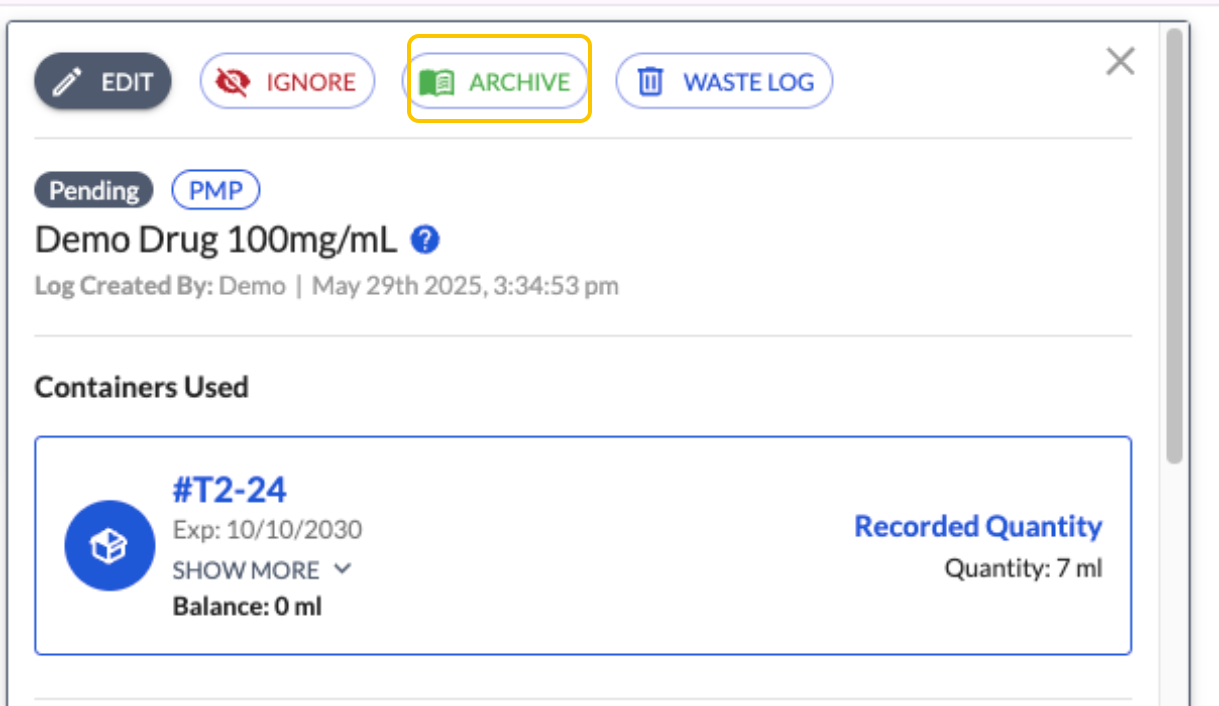
Once you have ensured your logs match your medical records, the logs in LogButler must be Archived.
This is done by clicking open the log entry, selecting the Archive option, adding a comment, selecting your signature, and inputting your PIN code. Once saved, the log entry has been archived and finalized in your logbook.
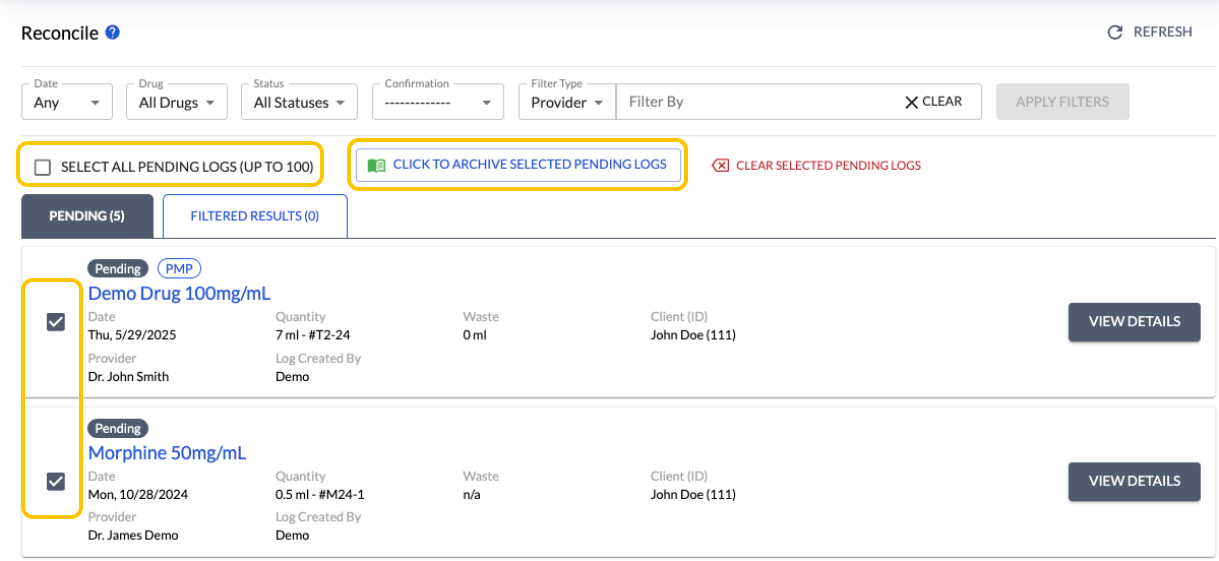
This can also be done in bulk by either selecting the checkbox next to Select All Pending Logs or checking each box individually and then choosing Click to Archive Selected Pending Logs.
Please view this How to video to assist you; Manual archiving a log entry
Privileged and confidential. For VetSnap and LogButler approved use only. Copyright © VetSnap Corporation and LogButler. All rights reserved. Not to be distributed, reproduced, modified, or used to create derivative works without explicit written permission from VetSnap Corporation or LogButler. VetSnap and LogButler are not DEA consultants and do not provide legal or regulatory advice regarding controlled substances.