
A new client can be added in 2 different ways
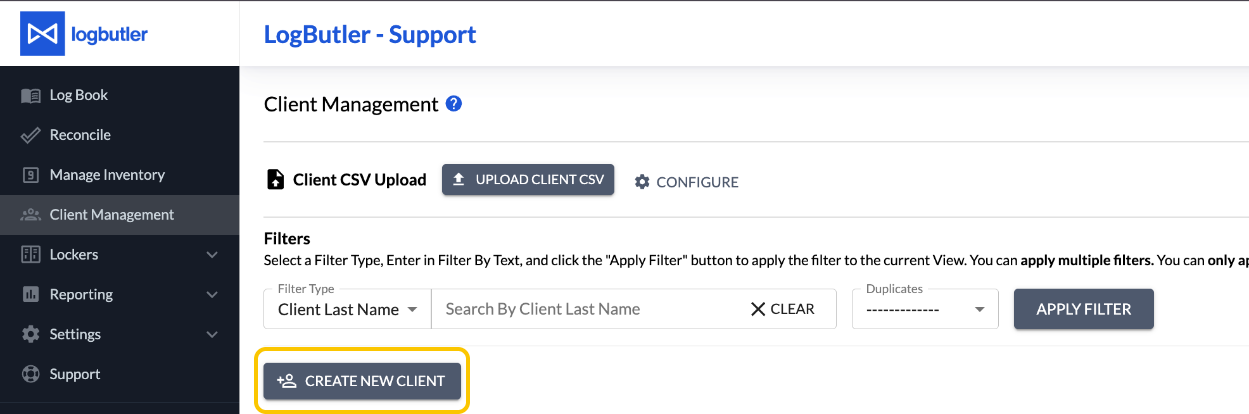
- In the Client Management screen
- Select the blue Create New Client button
- In the Add Log Entry window
- Select "Create New Client"
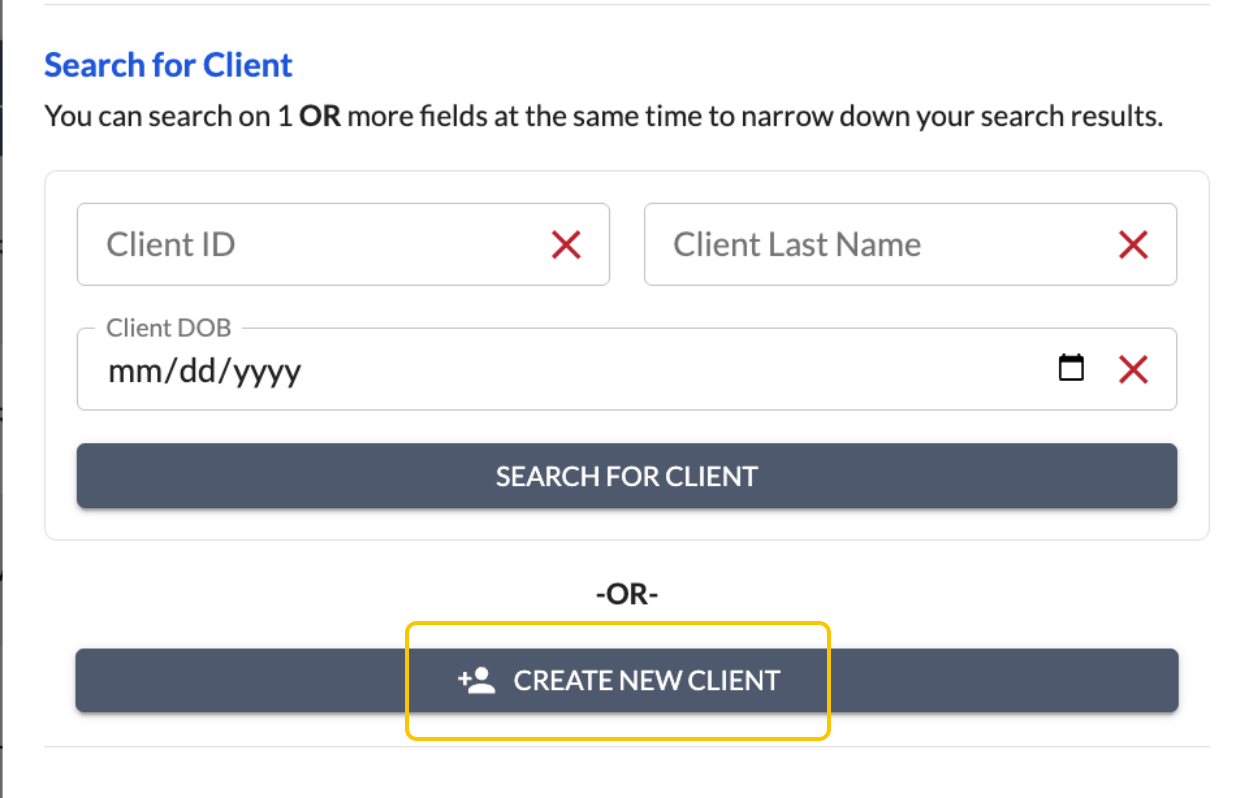
Note that it is important to search if the client is not already in the system before adding a new client.
Privileged and confidential. For VetSnap and LogButler approved use only. Copyright © VetSnap Corporation and LogButler. All rights reserved. Not to be distributed, reproduced, modified, or used to create derivative works without explicit written permission from VetSnap Corporation or LogButler. VetSnap and LogButler are not DEA consultants and do not provide legal or regulatory advice regarding controlled substances.