
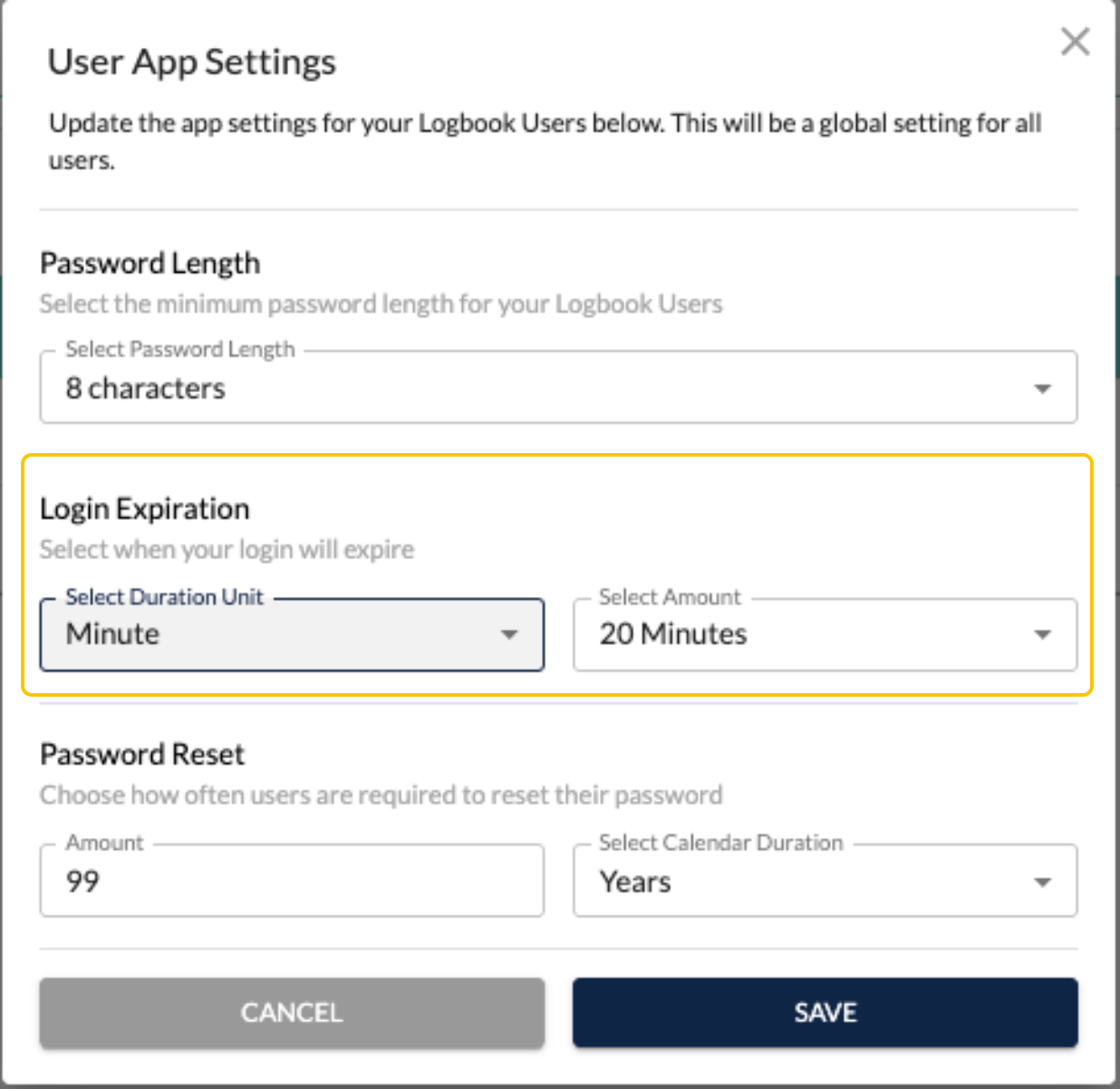
Admins now have the option to set the login session to expire within minutes, hours, or days.
To update this:
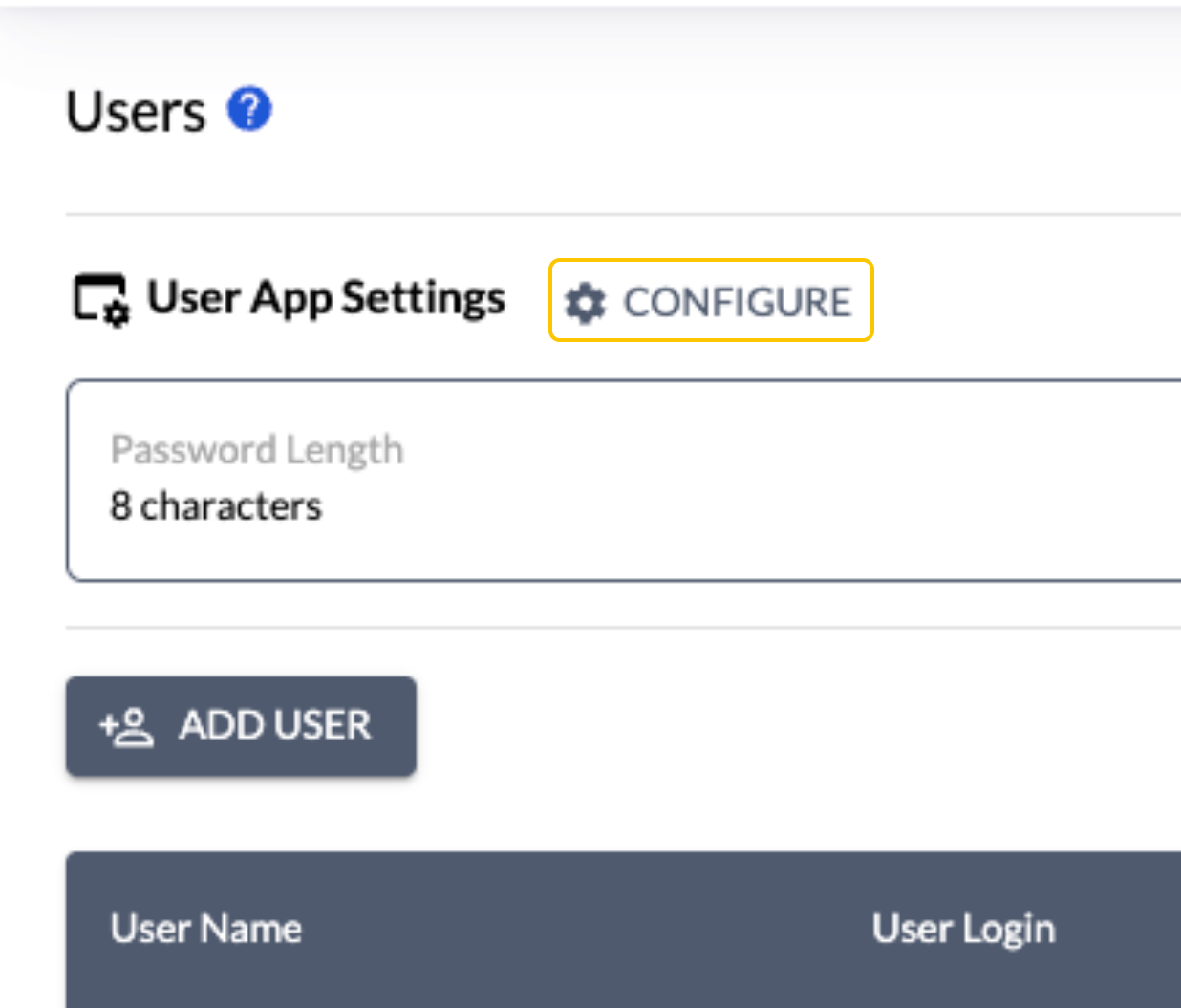
- Go to Users under Settings
- Click on Configure
- Select when a users session will expire and the amount of time
- Save
Privileged and confidential. For VetSnap and LogButler approved use only. Copyright © VetSnap Corporation and LogButler. All rights reserved. Not to be distributed, reproduced, modified, or used to create derivative works without explicit written permission from VetSnap Corporation or LogButler. VetSnap and LogButler are not DEA consultants and do not provide legal or regulatory advice regarding controlled substances.